Check Your Phone
If you’re interested in using the eSIM service, please check if your device is compatible.
- iOS
- Android
Method 1
Please dail *#06#
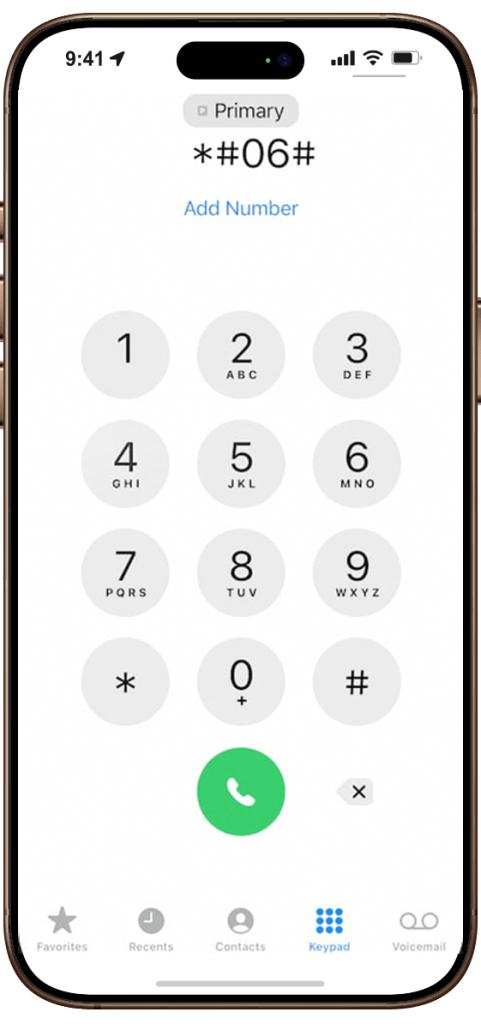
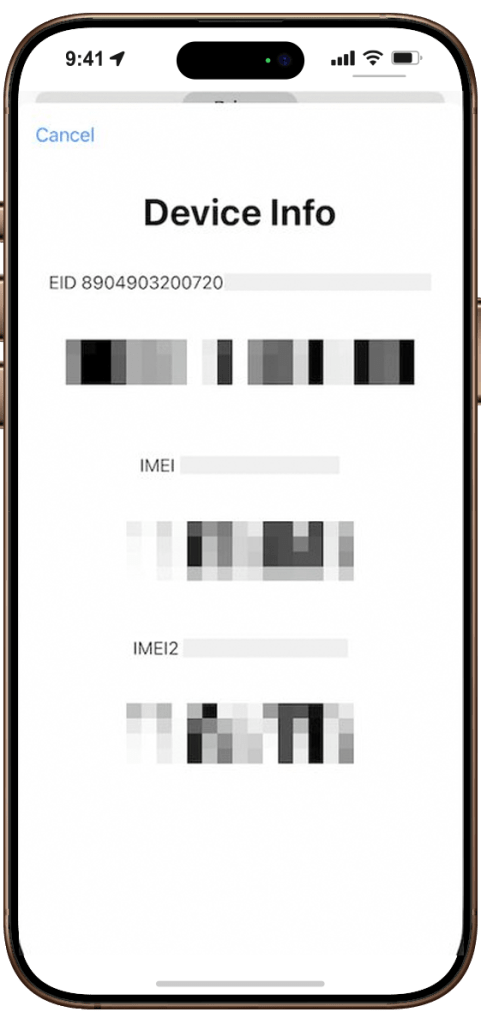
If ‘EID’ (32-digit number) is displayed among the information (typically on top), Your iPhone is ready for eSIM.
*EID (Embedded Identity Document) is the eSIM chip (module) inside your device.
If your device has an EID number, it is easy to confirm that your phone is eSIM compatible.
Method 2
Go to Settings > General > About’ You’ll find the EID number.
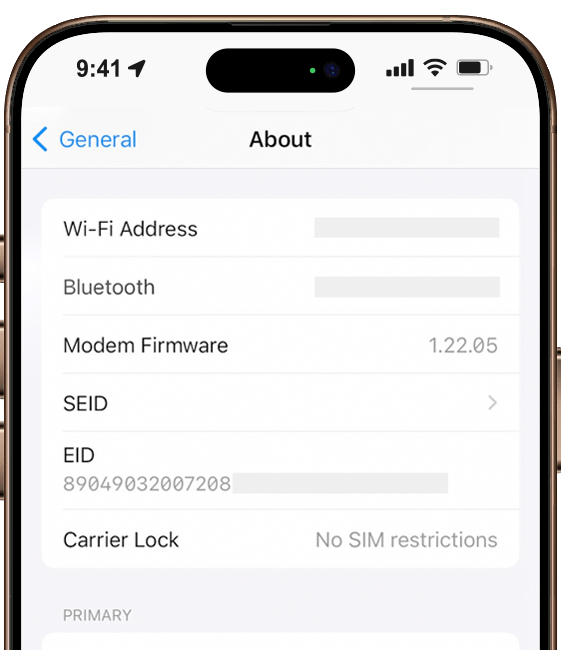
If the ‘Carrier Lock‘ shows ‘No SIM restrictions‘, your iPhone is not SIM-locked. You can use any eSIM/SIM.
If the ‘Carrier Lock‘ shows SIM-locked, only eSIM from your carrier(s) can be used. Your device must unlock to use an eSIM.
Your Android device must be unlocked by your carrier to use eSIM. Whether a device is eSIM compatible depends on the manufacturer. In some countries or regions, certain models may be released without eSIM functionality. Additionally, the carrier from which you purchased the device may not have eSIM enabled.”
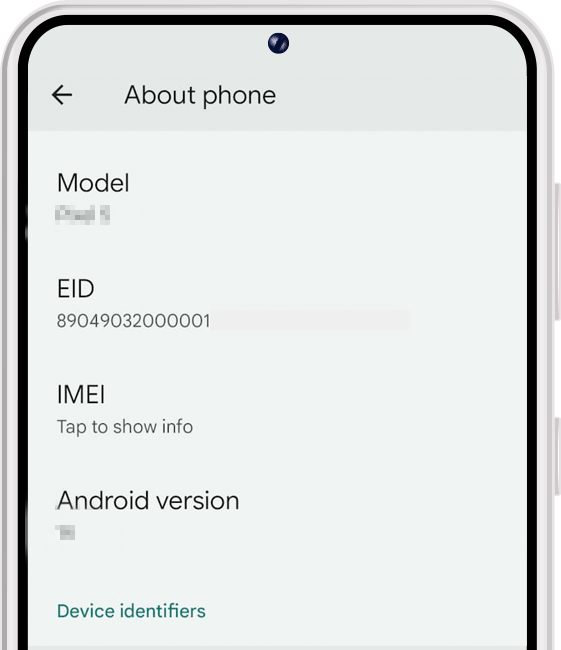
Go to Settings > About phone
If an EID exists, your phone supports eSIM